Birth announcement
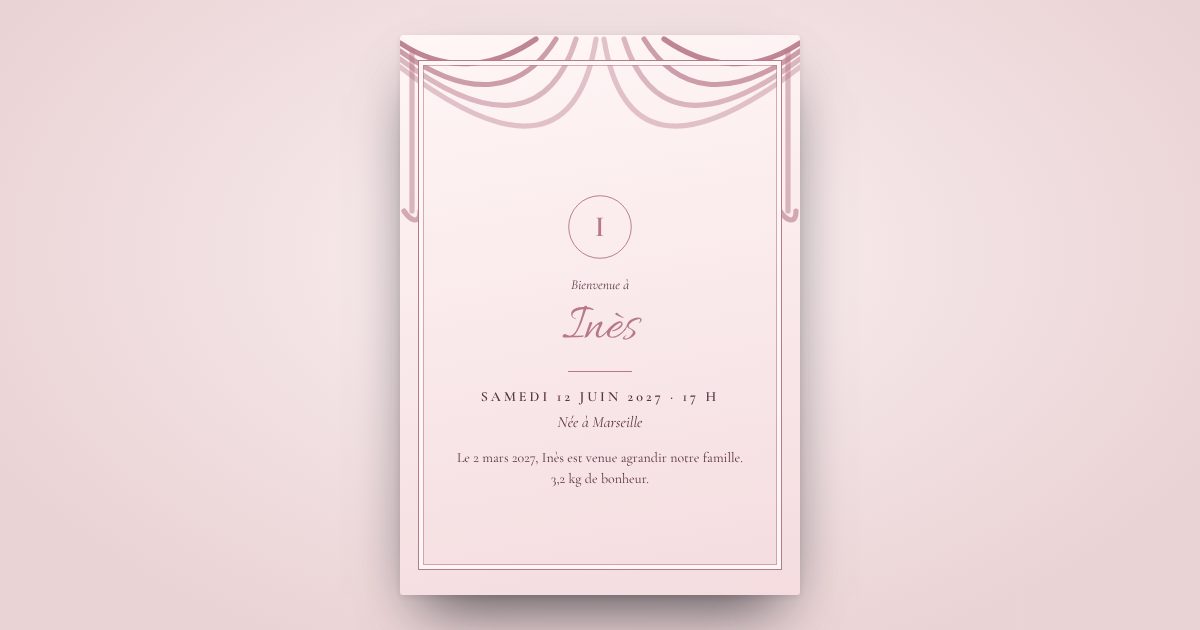
Announce your baby's arrival with a gentle announcement
The name, the date, the time, the weight and a first photo: design a delicate birth announcement from your sofa, and send it to the whole family the same day.
- Live preview, no commitment
- Link and QR code as soon as you pay
- Live replies
- Sending by text message as an option
What your guests receive
The first photo
In a medallion, at the centre of the announcement, in full quality.
Soft backgrounds
Sky blue, blush pink, doves, tiny sneakers, booties…
Sent in an instant
We text it to the whole family: you enjoy your baby.
Included in both plans
As soon as you pay, your private platform opens
For a celebration or a corporate event: your invitation, your guests and their replies, managed in one place, in real time.
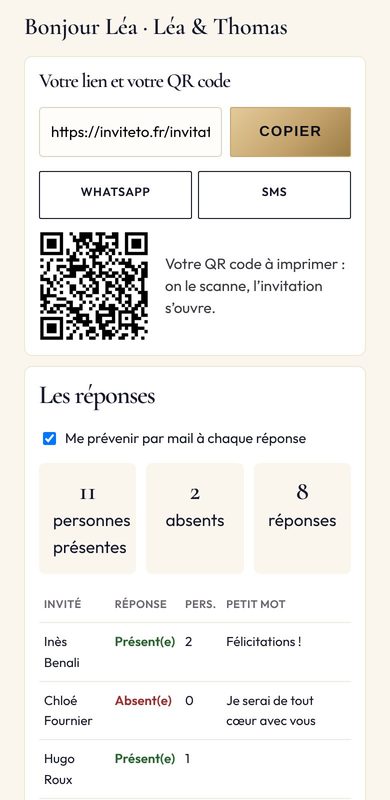
Your link, right away
Your final invitation is ready as soon as you pay. No waiting.
Shared in one tap
A WhatsApp button, a text button: the invitation goes out to your groups.
A QR code to print
Poster, table card, badge, event reception desk: scan it and the invitation opens.
Your guests on the platform
First name, last name, phone: typed line by line or pasted from a spreadsheet.
Text-message sending in one button
Design + SMS Sending plan: you receive the text first, your guests 2 minutes later.
Guest-by-guest tracking
Text received, attending or not, number of people, little note: everything updates live.
An alert for each reply
You are notified as soon as a guest replies, with no chasing on your part.
A ready-to-use list
Downloaded in one click: caterer, seating plan, sign-in sheet. And the invitation as an image or PDF.
Two plans, no surprises
Prices incl. VAT, unlimited guests. You only pay at the end, once your invitation is designed.
Your questions
When should you send a birth announcement?
In the weeks after the birth, whenever you are ready. There is no strict rule.
Should you ask for a reply?
No: for a simple announcement, leave out the reply request. Only add it if you are organising a party or a christening.
Is the baby photo protected?
The invitation can only be seen with its link and is not indexed by Google. Photos are deleted automatically three months later.
How do I do it in the designer?
Choose "Christening", then adapt the suggested wording and remove the ceremony: it becomes a birth announcement.
Shall we begin?
Your invitation takes shape before your eyes, with every choice.
Create my invitation