Wedding invitation
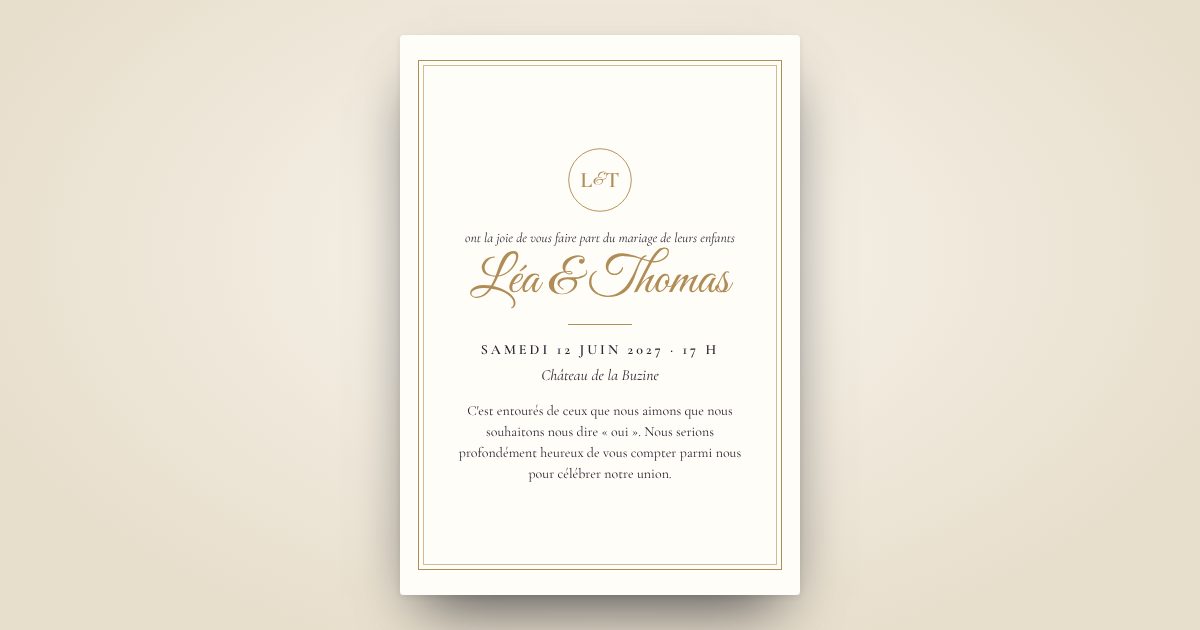
The wedding invitation that opens like a sealed envelope
You design it in a few minutes, in your colours. Your guests receive it on their phone, discover the schedule and reply in one tap. And if you wish, we send it to each of them.
- Live preview, no commitment
- Link and QR code as soon as you pay
- Live replies
- Sending by text message as an option
What your guests receive
An opening that makes an impression
Sealed envelope, stage curtain, champagne, hearts… the first memory of your wedding.
Everything in one place
Ceremony, cocktails, dinner, venue and directions, dress code, accommodation, gift list.
Replies without chasing
Each guest replies (attendance, number of people, menu, allergies) and you see who is coming.
Included in both plans
As soon as you pay, your private platform opens
For a celebration or a corporate event: your invitation, your guests and their replies, managed in one place, in real time.
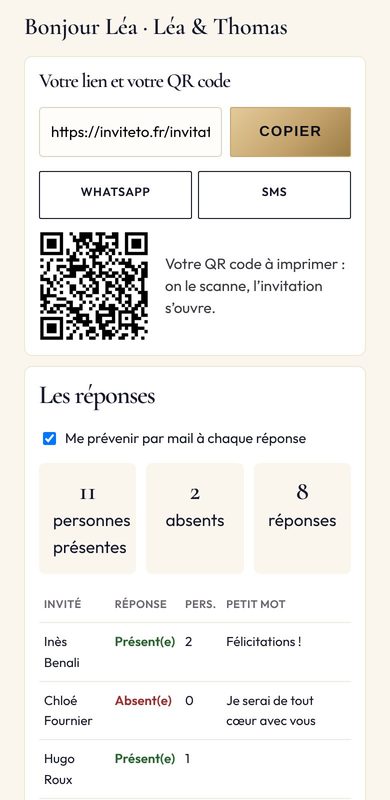
Your link, right away
Your final invitation is ready as soon as you pay. No waiting.
Shared in one tap
A WhatsApp button, a text button: the invitation goes out to your groups.
A QR code to print
Poster, table card, badge, event reception desk: scan it and the invitation opens.
Your guests on the platform
First name, last name, phone: typed line by line or pasted from a spreadsheet.
Text-message sending in one button
Design + SMS Sending plan: you receive the text first, your guests 2 minutes later.
Guest-by-guest tracking
Text received, attending or not, number of people, little note: everything updates live.
An alert for each reply
You are notified as soon as a guest replies, with no chasing on your part.
A ready-to-use list
Downloaded in one click: caterer, seating plan, sign-in sheet. And the invitation as an image or PDF.
Two plans, no surprises
Prices incl. VAT, unlimited guests. You only pay at the end, once your invitation is designed.
Your questions
Can we put both our families at the top of the invitation?
Yes: one line per family (« Mr and Mrs… »), then the announcement phrase of your choice.
And the town hall, the religious ceremony and the party?
Add each moment to the schedule with its time. Your guests get a Directions button to each venue.
Our grandparents don't have a smartphone.
The link also opens on a computer, and a relative can open it for them. For a few guests, a paper card is still possible alongside.
Can we use our song?
Yes. Choose one of our tracks or upload your own, and choose the exact moment it starts.
Shall we begin?
Your invitation takes shape before your eyes, with every choice.
Create my invitation